
LEGO® Star Wars™: TFA
Warner Bros. International EnterprisesAdventure
3.510.18K Reviews
- Version
- 2.2.1.06
- Installs
- 10.00M
- Age Rating
- Everyone 10+
Screenshots
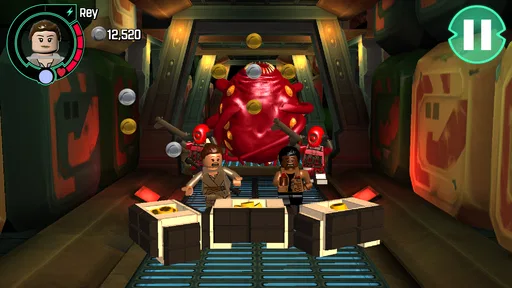
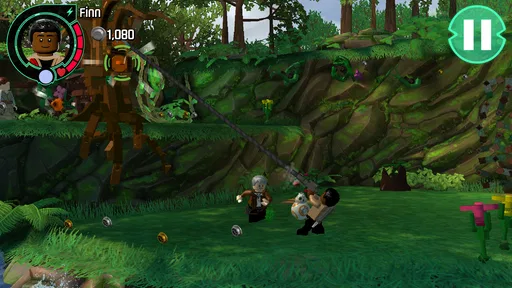
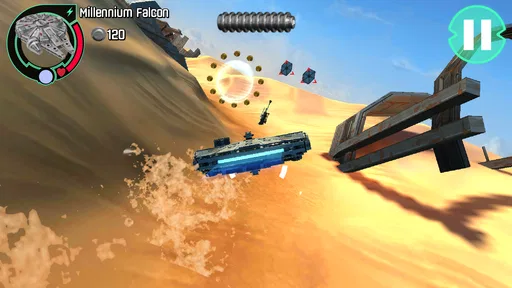
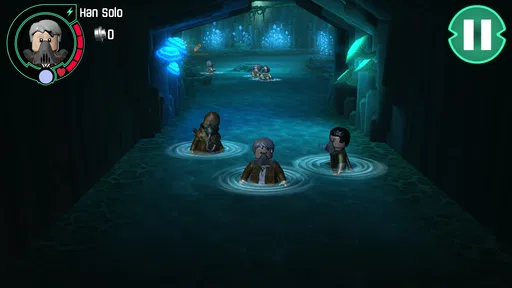
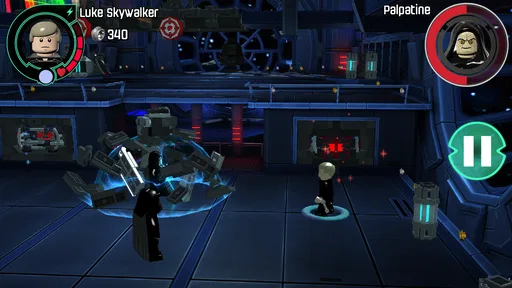
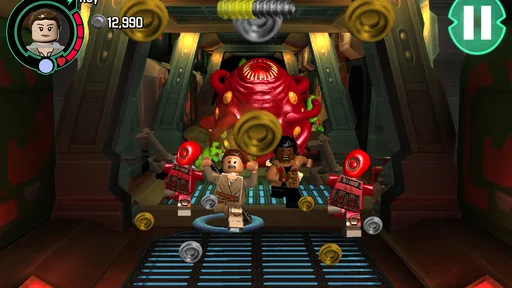
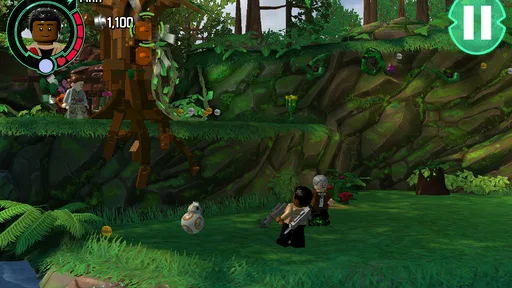
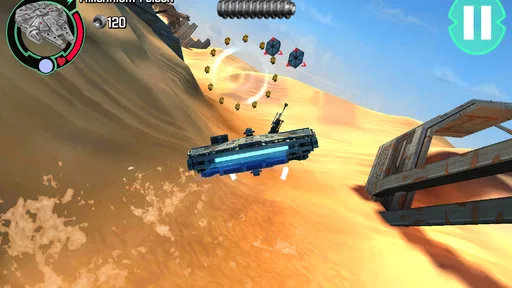
Our Review of LEGO® Star Wars™: TFA
 Analysis by Appyee
LEGO® Star Wars™: The Force Awakens™ is the kind of adventure game I pick up when I want something familiar, lighthearted, and easy to play in short sessions. It retells the events of the film through LEGO’s playful style, with brick-built characters, comic timing, and action designed to be approachable rather than intimidating. I reviewed it on that basis: not as a demanding action game, but as a casual Star Wars experience that works best when you want a compact story game for a phone or tablet.
The game comes from Warner Bros. International Enterprises and is free to start. It is rated for Everyone 10+, runs on devices using Android 5.0 or later, and the current version is 2.2.1.06. Optional in-app purchases range from $0.99 to $6.99 per item, so I would treat the free download as a chance to test the controls and overall feel before spending anything.
Getting started without unnecessary frustration
The first practical hurdle is not the story; it is making sure the device is ready for a game that combines animated scenes, movement, combat, and LEGO construction. I recommend closing other demanding apps before launching it, especially on an older phone. That will not transform weak hardware into a modern gaming device, but it can reduce interruptions caused by limited memory or background activity.
It is also worth checking that the phone has comfortable free storage before installing. A game can be free while still needing room for its installation and later operating files. If the download pauses, fails, or appears to complete without opening correctly, I would first check the device’s available space and connection rather than repeatedly tapping the install button.
Because this is a touch-focused adventure, screen size matters more than I expected. On a small phone, my fingers can cover parts of the action, particularly when several objects are moving at once. A larger phone or tablet makes the play area easier to read and gives virtual controls more breathing room. That does not make the game better in every respect, but it makes learning the controls less tiring.
My first setup tip is simple: finish the initial launch on a stable connection and avoid switching apps while it is preparing the game. If the opening process is interrupted, restarting the game cleanly is usually more sensible than assuming the installation itself is broken. I would also keep the device charged, since long animated sequences and active play can be more demanding than browsing a normal app.
Where players are most likely to get stuck
The game’s approachable presentation can make its puzzles seem simpler than they are. When progress stops, I do not immediately assume that a level is malfunctioning. In LEGO adventures, the answer is often nearby: a loose object, a buildable pile, a character interaction, or a route that becomes clear only after looking around the whole area. I found that slowing down and scanning the environment was more productive than repeatedly attacking the same obstacle.
Another common source of confusion is the difference between a combat problem and a progression problem. If enemies keep appearing, it may be necessary to finish the current encounter before the next path becomes available. If nothing appears to change after a fight, I would move around the area and inspect nearby objects instead of waiting in one spot. Small visual cues can be easy to miss when the screen is crowded with effects and characters.
Touch controls can also create false impressions of difficulty. A tap that lands slightly outside the intended target may make an interaction look unresponsive. I get better results by holding the device steadily, using deliberate taps, and avoiding rapid repeated touches. If the game reacts slowly, I pause for a moment rather than flooding the screen with inputs.
For younger players, this is where an adult may need to help. The action is friendly in tone, but a child can still become frustrated when a path is not obvious or a control does not register. Sitting together for the first level is useful because it teaches the visual language of the game: what can be built, what can be broken, and which objects deserve attention.
Recovering a session when progress feels wrong
My preferred recovery routine is conservative. I first stop pressing buttons, leave the immediate area if the game allows it, and check whether the objective has actually changed. If the scene still seems frozen, I close the game normally and reopen it. That basic restart often separates a temporary touch or loading hiccup from a genuine repeatable problem.
I would not begin by uninstalling. Removing a game can create a much bigger problem if local progress is not preserved in the way you expect. Before taking any destructive step, it is wiser to restart the device, confirm the game is updated through the normal app store process, and try the same section again. If the issue happens in one location every time, note what happened immediately before it: a cutscene, a character switch, a build sequence, or a transition.
That detail matters because vague reports such as “the level is broken” are difficult to act on. A useful personal record would be: which chapter you were playing, what the objective said, which character you controlled, and whether the game stopped responding or simply offered no obvious route. Even without advanced technical knowledge, that process helps identify whether the problem is a missed interaction or a repeatable software issue.
When the game responds but the character will not move as expected, I check the physical screen first. Moisture, a thick screen protector, or a case edge can interfere with touch input. I also rotate the device only if the game clearly supports the orientation I am using; changing position repeatedly during a level can make control problems harder to diagnose.
There is a useful distinction between restarting a level and restarting the whole app. If the game provides an in-game way to return or retry, I prefer that because it keeps the recovery limited to the troublesome scene. Closing the app is my next step. Reinstalling is the last resort, not the standard answer to a single missed puzzle or delayed response.
When the game is not the real cause
Not every failure to launch or download belongs to the game. A weak Wi-Fi connection, an interrupted mobile connection, or a device that is nearly full can all produce symptoms that look like an app problem. I would test another ordinary download or webpage on the same connection before blaming the game. If everything else is slow, the network is the more likely starting point.
Device age is another factor. The minimum operating system is Android 5.0, but meeting that baseline does not guarantee the same experience on every phone. Older hardware may take longer to load scenes, struggle when many effects are visible, or become warm during extended play. In that situation, lowering expectations about session length and closing background apps may help more than repeatedly reinstalling.
Touchscreen condition matters too. If taps fail in other games or ordinary menus, this title is probably not the source of the issue. I would remove any accessory that overlaps the display, clean the screen with an appropriate soft cloth, and test again. If the problem remains across the device, it needs device-level attention rather than game-level troubleshooting.
Storage permissions and account settings can also complicate installation or purchases, but I would avoid changing system settings at random. The safer approach is to use the device’s standard app-management screen, confirm that the operating system recognizes the installation, and check that the store account is the one intended for any optional purchase. This is especially important on a shared family tablet.
How the adventure plays in everyday use
In daily use, I see the game working best as a short-session adventure. Imagine having a half hour before leaving home: I can play through a scene, solve a few environmental problems, and stop without needing the commitment demanded by a large open-world game. The LEGO presentation keeps the mood relaxed, while the Star Wars setting gives each section a recognizable sense of place.
It is also a reasonable choice for family play, provided expectations are clear. A child who enjoys building toys and Star Wars characters will probably understand the appeal quickly. An adult can help with reading objectives, finding the next interaction, or explaining why a particular character is needed. The Everyone 10+ rating makes the tone broadly accessible, but it should not be confused with a completely hands-off experience for very young children.
The strongest practical feature is the way the game turns familiar film material into something more playful. Instead of aiming for a serious cinematic recreation, it uses LEGO humor and construction as the main language. That makes it less intense than many console-style action games and more inviting for players who prefer exploration and simple problem solving to constant competition.
The trade-off is that experienced mobile gamers may find the structure limited compared with a deeper adventure title. If you want a large world, complex character development, precise action controls, or endless replay systems, this is probably not the right download. A traditional console or premium mobile adventure may offer more depth, while a simple puzzle game may be better if you want no combat or story interruptions.
I would also be careful with the purchase model. The download costs nothing, but optional items sit between $0.99 and $6.99 each. I would play the free portion first and decide whether the extra content genuinely improves my use of the game. On a child’s device, purchase controls should be handled deliberately so that curiosity does not turn into an accidental charge.
Small habits that make play smoother
My first habit is to explore the edges of an area before moving forward. The direct route is not always the most informative one, and a quick look behind nearby objects can reveal the interaction that unlocks progress. This is more efficient than repeating attacks or jumping at a blocked route.
My second is to pause after a major scene change. I give the environment a moment to settle, then identify the current objective before touching anything. That short pause helps me distinguish a loading delay from a puzzle that requires a different approach. It also reduces accidental taps during transitions.
My third is to avoid judging the controls during the most crowded moments. If the screen is full of characters and effects, a missed tap may be my fault rather than a design failure. I reposition my hands, use slower inputs, and try again from a clearer angle. This is particularly useful on a phone where the display leaves little room around the action.
Finally, I keep sessions shorter on older devices. Heat and sluggishness can build gradually, so a game that feels fine at the beginning may become less responsive later. Taking a break is not a glamorous solution, but it is practical, and it prevents me from confusing accumulated device strain with a permanent game defect.
Who should install it, and who should skip it
I recommend it to Star Wars fans who enjoy LEGO’s gentler sense of humor, families looking for a recognizable adventure, and casual players who want a story-driven game without the pressure of online competition. It is especially appealing if you like exploring a scene, finding the next object to use, and watching familiar events presented with a comic twist.
I would skip it if your priority is competitive multiplayer, a highly technical combat system, or a long-term game built around constant new challenges. I would also hesitate on a very old or cramped phone if touch controls already feel uncomfortable in other games. A larger screen can improve the experience, but it cannot remove every limitation of older hardware.
The audience rating is sensible for the tone, though parents should still consider the child’s ability to follow objectives and manage optional purchases. The game is friendly, but “easy to understand” is not always the same as “never confusing.” A little guidance can make the difference between a child enjoying the adventure and abandoning it after getting stuck in the first unfamiliar area.
My practical verdict
After using LEGO® Star Wars™: The Force Awakens™, I see it as a cheerful, accessible adventure rather than a definitive mobile action game. Its best qualities are its recognizable setting, playful LEGO treatment, and suitability for short sessions. It gives me a comfortable way to revisit the film’s world without demanding the precision or time commitment of a more serious action title.
The main cautions are equally practical: touch controls can feel cramped on small screens, older devices may struggle more than newer ones, and free access does not mean every optional item is included. When something goes wrong, I would check storage, connection, touch input, and device performance before assuming the game itself is at fault.
With over 10 million installs and an average rating of 3.5 from around 290 thousand ratings, it has clearly attracted a substantial mobile audience while leaving room for mixed experiences. I would not install it expecting perfection, but I would recommend trying it if the LEGO style and Star Wars setting already appeal to you. For a relaxed, family-friendly adventure that rewards patience more than reflexes, this is a worthwhile free starting point.
Verdict
Strengths of LEGO® Star Wars™: TFA
- Faithfully recreates memorable scenes and characters from The Force Awakens.
- Simple controls make it accessible for younger players and casual fans.
- Collectible minifigures and hidden items encourage replaying completed levels.
- Humorous LEGO presentation keeps the Star Wars story light and entertaining.
- Playable offline, making it convenient for travel or areas with limited internet.
Limitations of LEGO® Star Wars™: TFA
- The free download offers limited content before requiring an in-app purchase.
- Some puzzles rely on trial and error rather than clearly explained solutions.
- Touch controls can feel imprecise during fast-paced platforming sections.
- Repeated animations and dialogue may become tiresome during replay sessions.
- Older devices may experience slower loading or reduced visual performance.
Other Releases by Warner Bros. International Enterprises
View All
Injustice: Gods Among Us
Action4.3

Injustice 2
Action4.3

Heads Up!
Word4.5

Game of Thrones: Conquest ™
Strategy4.3
Similar Picks in This Category
View All
Roblox
Roblox Corporation4.2

Pokémon GO
Niantic, Inc.3.5

Ninja warrior: legend of adven
TOH Games4.6

Ninja Arashi
Black Panther4.6

Eyes - The Horror Game
Fearless Games sp. j.4.5

Critical Action:Gun Strike Ops
FPS Shooter & Action Game4.3
Frequently Asked Questions
What is LEGO® Star Wars™: TFA about?
LEGO® Star Wars™: TFA is an action-adventure game based on Star Wars: The Force Awakens, presented with LEGO’s familiar humor and playful visual style. It lets you replay key movie moments, control characters such as Rey, Finn, Poe Dameron, and Han Solo, solve environmental puzzles, collect studs, and fight enemies through accessible levels designed for both younger players and longtime Star Wars fans.
Can I play LEGO® Star Wars™: TFA offline?
After the required game files have been downloaded and installed, the main single-player campaign can generally be played without a continuous internet connection. An internet connection may still be needed for the initial download, updates, license checks, or store-related features. Because requirements can vary by device and operating system, it is sensible to install the game while connected to Wi-Fi and check its current store listing.
Is LEGO® Star Wars™: TFA suitable for children?
The game is generally suitable for children because its combat is presented in a lighthearted, cartoon-like LEGO style rather than realistic violence. The controls and objectives are approachable, although some puzzles and platforming sections may require occasional help from an adult or older player. Parents should still review the age rating, in-app purchase information, and device settings before allowing younger children to play.
Does the game include the complete The Force Awakens story?
LEGO® Star Wars™: TFA follows the major events and characters from The Force Awakens, but it does not reproduce every scene in exactly the same way as the film. The story is adapted into humorous LEGO levels with combat, exploration, collectibles, puzzles, and optional activities. Players should expect a playful retelling that focuses on interactive gameplay rather than a full cinematic presentation.
What should I check before downloading the game?
Before downloading, check that your Android or iOS device meets the current compatibility requirements and has enough free storage for the application and any additional files. The game may require a relatively modern device for smooth performance, and older phones or tablets can experience slower loading or reduced stability. Also review the price, available purchases, privacy information, and the latest user reviews in the official store.
Play our best games!


